


Urgent Security Alert: How to Spot Fake DocuSign Emails Targeting Local Businesses
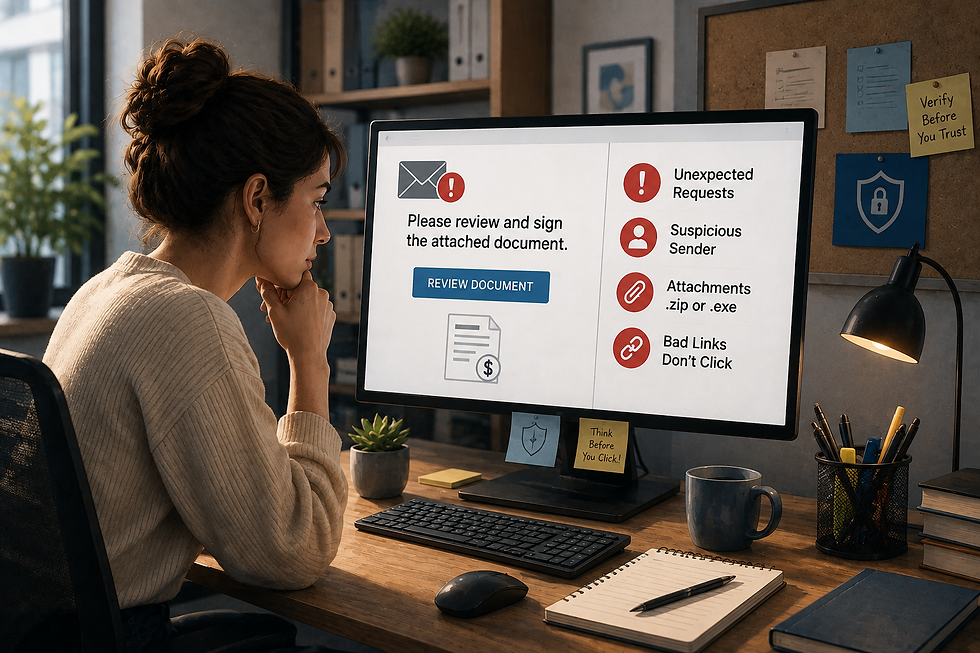
Phishing attacks are becoming increasingly sophisticated, and cybercriminals are actively impersonating trusted tools that your team uses every day. One of the most common vectors targeting businesses right now is the fake DocuSign email scam.
Because professionals expect to receive electronic document requests regularly, these malicious emails often slip past unsuspecting employees. Here is what you need to know to spot these red flags and protect your business.
How the Fake DocuSign Scam Works
Cybercriminals send an email disguised as an official DocuSign notification asking the recipient to review or sign an urgent document—such as an invoice, wire transfer request, or updated employment policy.
When an employee clicks the link, one of two things usually happens:
Credential Theft: They are redirected to a convincing fake login screen designed to steal their Microsoft 365 or company email credentials.
Malware Installation: The link downloads a malicious file that infects the device and spreads across your company's network.
4 Red Flags of a Phishing Email
Train your team to look for these warning signs before clicking any link:
Mismatched Sender Address: Check the actual email address, not just the display name. Official DocuSign notifications come from @docusign.com or @docusign.net. If the address ends in anything else, it is a scam.
Artificial Urgency: Phrases like "Immediate Action Required" or "Document Expires in 1 Hour" are designed to induce panic so you bypass critical thinking.
Unexpected Requests: If you were not expecting a contract or invoice from the sender, pick up the phone and verify it via a trusted phone number before interacting with the email.
Suspicious URLs: Hover your mouse over the link without clicking. If the web address doesn't lead directly to docusign.com, do not open it.
3 Quick Steps to Secure Your Business Today
Protecting your business against phishing requires simple, enforced safeguards:
Enforce Multi-Factor Authentication (MFA): Even if an employee accidentally enters their password on a fake site, MFA stops hackers from accessing the account.
Conduct Scam Awareness Training: Teach your staff how to identify modern phishing tactics regularly.
Implement Advanced Email Filtering: Block malicious emails before they ever reach your employees' inboxes.
Audit Your Company's Security Readiness
Email scams target businesses of every size. Are your systems and staff prepared?
Need help securing your business accounts? Talk to the IT security experts at CRSI.


Comments